




Plan Starter
$39/mo
Individuals proving workflows before inviting teammates.
- Up to 30 profiles
- Core proxy routing
- Email support
Run isolated sessions on one device. Built for agency, QA, and remote teams.
Multi profile browser · browser workspace · Safe multi-account ops
Used daily by agencies, QA teams, and distributed operators




120K+
Browser profiles managed monthly
4.8/5
Average satisfaction from campaign teams
99.9%
Reported operational uptime
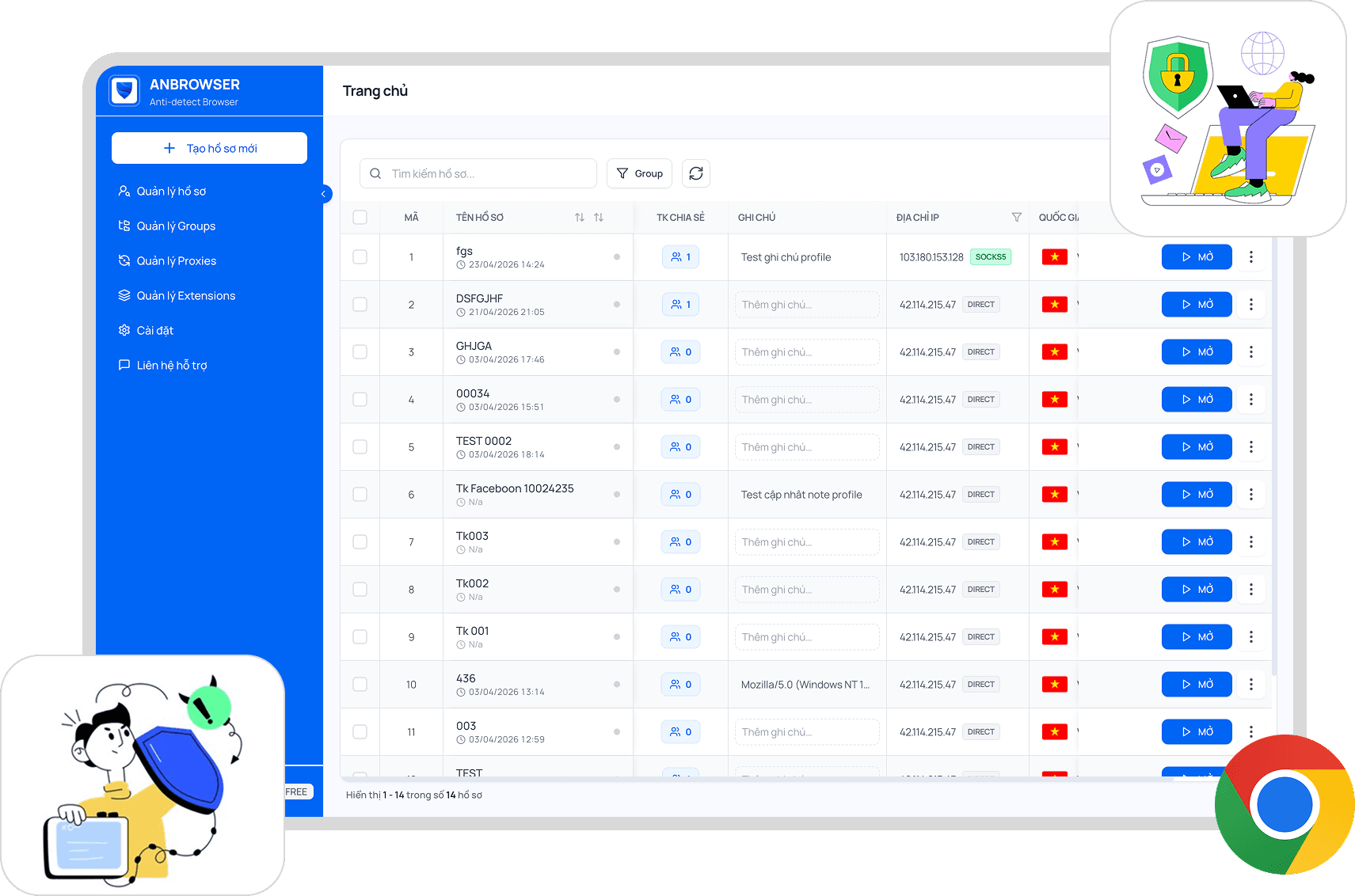
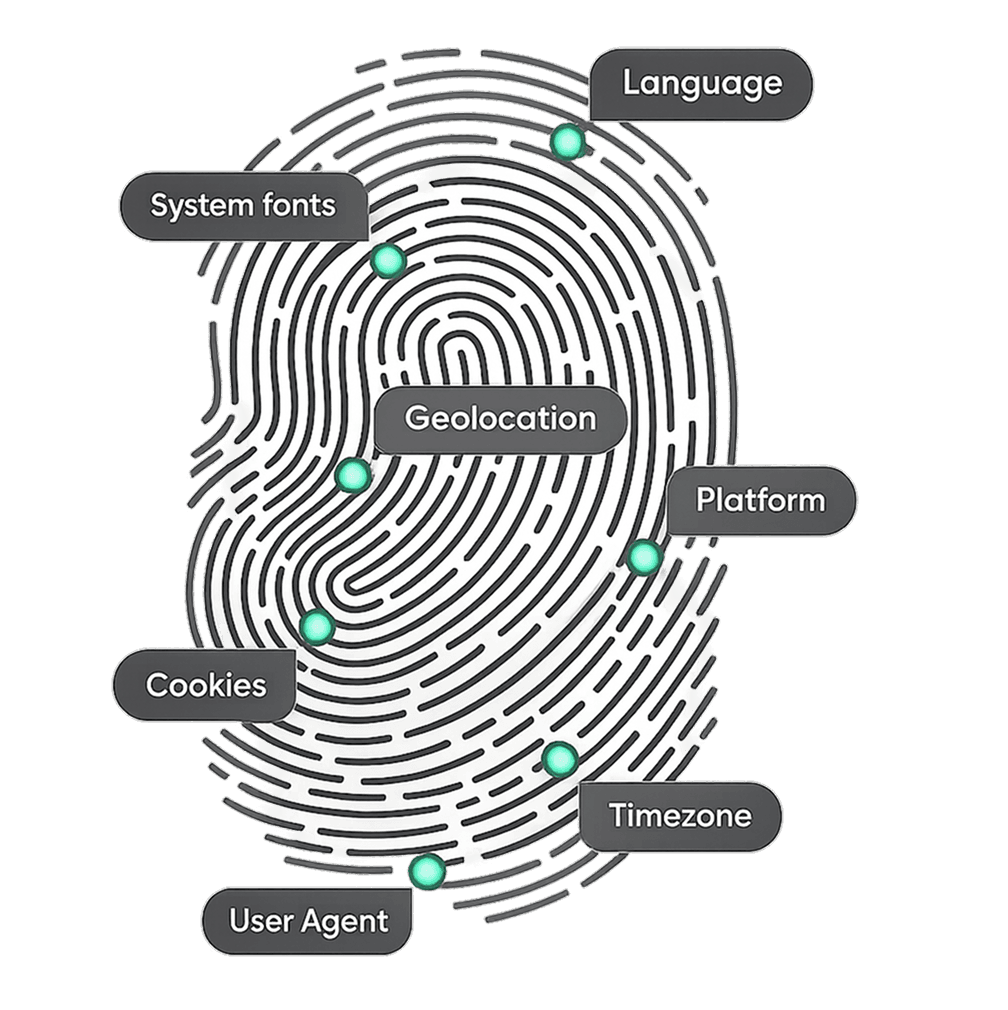
Teams that run marketing, ads, stores, or QA often juggle many logins on one laptop. A standard browser shares one underlying identity — cookies, storage, and device signals intermingle. That makes browser profile management noisy: reporting skews, sessions collide, and handoffs between teammates break down. AnBrowser treats each profile as its own browser workspace with consistent configuration (device signals, timezone, language, cookies), so multiple sanctioned accounts stay organized the way your governance model expects.
Profile isolation plus workspace structure — not another tab maze.
You define how profiles map to clients, brands, or environments. Teams share access through roles instead of passing passwords, and changes stay traceable for internal review.
Chrome-like productivity with hardened separation between profiles.
Lighter than managing dedicated VMs for every environment.
Capabilities
From agency retainers to QA matrices and remote collaboration — each block explains a concrete browser workspace outcome.
Spin up distinct profiles so campaigns, catalogs, and analytics stay logically separated — ideal when one desk owns multiple legitimate accounts that must not contaminate each other.
Permissions
Mirror how your contracts are structured: assign folders, tags, and roles so media buyers, strategists, and contractors only touch the browser workspace they need.
Stage Chrome-like sessions that mimic production locales — exercise flows across regions, languages, and devices without rebuilding laptops for every scenario.
Keep fingerprints and sessions stable while scripts or testers execute side-by-side paths — fewer flaky comparisons when validating releases.
192.168.xxx.xxx
Route profiles through approved proxies or segmented networks so fraud experiments, risk drills, and policy checks happen in sandboxes you govern — not on staff personal browsers.
Clone proven setups, document changes, and expand capacity without inventing a new manual each time a cohort joins an exercise.
Remote teammates launch approved profiles with access control instead of sharing vault passwords. Paired with isolated sessions, this reduces accidental data leakage between departments handling sensitive programs.
Demo
A concise walkthrough: create profiles, attach environments, and align teammates around the same browser workspace guardrails.

~3 min
How it works
Create a profile, assign the environment (including proxy or regional settings), and operate it as an independent workspace — the backbone of modern browser profile management for enterprise teams.
Choose baseline signals — locale, user agent, fonts — so the session matches the brand or test matrix you need without impacting other browser workspaces on the same device.
Attach the network path that fits policy: office VPN, datacenter proxy, or regional endpoint. Keeps analytics and access logs aligned with the operating context you document.
Share with collaborators through roles, monitor usage, and iterate using folders or tags — each profile remains an auditable unit inside your enterprise browser rollout.
See how an enterprise browser handles browser profile management where Chrome alone stops at tabs.

AnBrowser
Recommended
Regular browser
Chrome, Edge, Safari…
Profile isolation
Dedicated browser profiles
Each workspace isolates storage, cookies, and identity signals.
Single shared identity
Cookies and storage collide — hard to prove which session caused a change.
Workspace structure
Browser workspace hierarchy
Folders, tags, and templates mirror how your contracts are bundled.
Tabs-only organization
No ownership model per client or campaign — reporting turns subjective.
Team collaboration
Roles & shared sessions
Grant access to profiles without exposing underlying vaults.
Credential sharing overhead
Password handoffs and unclear accountability slow remote teams.
Repeatable QA
Scriptable environments
Clone fingerprints and network paths for parallel scenarios.
Manual resets
Spinning fresh environments is slow so coverage stays shallow.
Operational scale
Predictable expansion
Template profiles, governance checks, and monitored automation hooks.
Linear tab growth
More surface area without guardrails increases operational risk.
Install on Windows or macOS. Start with a guided trial to map browser workspaces to your teams.
Pricing
Pick a tier based on profile volume and collaboration needs. Upgrade when additional departments adopt the enterprise browser workflow.
Plan Starter
$39/mo
Individuals proving workflows before inviting teammates.
Plan Growth
$99/mo
Growing teams coordinating multi profile browser operations.
Plan Scale
Contact
Enterprises needing policy-driven rollout and bespoke limits.
FAQ
Transparent answers about browser profile management, compliance posture, and collaboration.
AnBrowser packages Chromium-style browsing inside isolated profiles that include their own storage, cookies, and configurable signals. That turns each profile into a managed browser workspace — useful whenever teams must run multiple legitimate accounts or QA scenarios without blending data on one OS profile.
Yes. Each profile maintains its own sandboxed state so sessions stay logically distinct. The goal is operational clarity and cleaner governance — not circumventing third-party policies.
Yes. Attach proxies or approved network paths per profile so geography, latency, and compliance requirements align with the workspace owner’s documentation.
Use shared workspaces, granular roles, and profile libraries so contractors and full-time staff access only the clients they support. Revocation is centralized, which reduces long-lived password sharing.
Data typically resides on the operator’s hardware according to your deployment settings. Pair disk encryption, device compliance policies, and backups that satisfy your security team.
Availability is listed beside each plan on this page. Most teams begin with Growth once they need shared browser workspace features, then graduate to Scale for enterprise procurement.
No. AnBrowser helps legitimate organizations separate duties, run QA, and manage multiple sanctioned accounts with audit-friendly controls. Customers remain responsible for adhering to each platform’s terms and applicable laws.










Customer reviews
What teams say about workflow efficiency
Notes from marketing operators, agencies, and infrastructure leads focused on throughput and governance.
Huy Tran
Head of Paid Social, DTC
Lena Morris
Affiliate Team Lead
Karim A.
Founder, Growth Agency
Mai Phuong
E-commerce Lead
James Cole
Ops Manager, Remote Agency
Thu Ha
Account Director